




- Table of Contents
-
- 1. Introduction
- 2. Main Types and Uses of Translation Tools
- 3. Five Differences Between Free and Paid Tools
- 4. Conditions for Translation Tools Usable in Business
- 5. Recommended Translation Tools by Use Case
- 6. Points to Note When Using Translation Tools
- 7. Benefits of Translation Tools Usable in Business
- 8. How to Choose Translation Tools Usable in Business
- 9. Frequently Asked Questions About Translation Tools
- 10. Summary
1. Introduction
In today's increasingly globalized world, multilingual communication in business is becoming more and more important. Language barriers arise in various situations, such as transactions with overseas partners, interactions with foreign employees, and expansion into overseas markets. To address these challenges, translation tools have become indispensable. Translation tools are powerful resources that help overcome language barriers and facilitate smooth communication. However, there are various types of translation tools, each with different functions and features. To use them effectively in business, it is important to choose a translation tool that meets your needs. This article will introduce how to select translation tools available on the web that are useful for business, along with specific tools.
2. Main Types and Uses of Translation Tools

Even though we say translation tools, the optimal tool varies greatly depending on the scene and what is primarily being translated. Translation tools can be broadly categorized into three types: text/document translation, real-time voice translation, and website translation.
We will explain the characteristics of each and what kinds of uses they are suitable for in detail.
Text and Document Translation (For Documents and Emails)
These tools are used to translate text-based documents such as everyday email exchanges, contracts, manuals, and academic papers. They are ideal for those who want to take time to obtain accurate translations and prefer to review and edit the translation results themselves. In recent years, many tools have emerged that can read files in formats like PDF, Word, and Excel as they are, allowing translation while maintaining the original layout and formatting.
These tools are indispensable when you want to streamline the translation of business documents or translate materials that frequently use specialized terminology.
Main representative tools: DeepL, Google Translate, ChatGPT, T-4OO, etc.
Real-time Voice Translation (For Web Conferences and Business Negotiations)
These tools translate the spoken voice of the other party in real time during online meetings such as Zoom or Teams, or in face-to-face business negotiations and conferences. The spoken content is instantly translated and displayed as text on the screen like movie subtitles, enabling smooth communication across language barriers without the need for an interpreter. Additionally, many tools provide simultaneous real-time translation along with automatic transcription and minutes generation, greatly reducing the effort required for information sharing and document preparation after meetings.
Main representative tools: Clovernet Multilingual Translation Support Service, SuperIntern, Notta, etc.
Website Translation (For Multilingualization of Own Site)
This is a dedicated tool for multilingualizing your company’s homepage or e-commerce site for foreign users. It is introduced with the aim of increasing access from overseas and capturing inbound demand. By integrating a dedicated automatic translation system into the site, when the Japanese page is updated, the translation is automatically and in real time reflected on the foreign language pages as well. It is characterized by being able to keep the operational management effort and costs low even for sites with many pages. Additionally, it is important to choose tools that support "overseas SEO measures" to acquire users from overseas search engines.
Main representative tools: shutto Translation, Uniweb, WOVN.io, etc.
3. Five Differences Between Free and Paid Tools

Translation tools range widely from free and easy-to-use options to paid versions specialized for corporate use. Many people may think, "A free tool is enough," but when using them seriously in business, there are mainly the following five major differences between the two.
① Translation Accuracy
Free tools offer sufficient accuracy for translating everyday conversations and general texts, but they are prone to mistranslations when it comes to industry-specific terminology and complex expressions. On the other hand, paid tools are equipped with advanced AI technology and engines specialized in particular fields, enabling highly accurate translations even for specialized business documents.
② Customizability (Glossaries, etc.)
Free tools use fixed engines, so customization is limited. Paid tools often have features that allow you to register company-specific glossaries (user dictionaries) and enable learning from past translation data, so the more you use them, the more accurate translations tailored to your company become possible.
③ Security (Retention of Confidential Information, Secondary Use, etc.)
The most important point to be careful about in business use is security. Many free tools process the input data on external servers, posing a risk of secondary use as AI training data. Many paid tools clearly state data encryption and no secondary use, allowing confidential information to be translated safely while preventing information leaks.
④ Supported File Formats and Features
Free tools mainly focus on text input, but paid tools offer extensive features that allow you to translate PDFs, Word, Excel, PowerPoint, and more without disrupting the original layout or formatting.
⑤ Support System
Free tools require users to resolve issues on their own by relying on FAQs and similar resources, but paid tools often provide dedicated customer support, allowing users to use them with confidence during implementation and when problems occur.
4. Conditions for Translation Tools Usable in Business

Translation tools for business need to accommodate specialized terminology and expressions specific to each industry. There may also be unique terms used by companies or organizations, such as product names, service names, department names, and job titles. A glossary function that can accurately translate these specialized terms is essential for translation tools.
In a global business environment, multilingual support is essential. Translation tools for businesses should cater not only to major languages but also to niche languages, depending on the market in which products and services are sold.
When using for business purposes, security is the top priority. Translation tools for business must have advanced security features such as data encryption and access control. Many free translation services may reuse the input text for service improvement, and confidential information is not retained. It is important to choose a translation service that does not have secondary use.
In business document translation, mistranslations and inappropriate expressions are not acceptable. While personal tools may allow for some mistranslations, accuracy is crucial in business. Additionally, the translation needs in business are diverse, requiring translation tools that can handle various documents such as contracts, patents, manuals, and emails.
5. Recommended Translation Tools by Use Case

Tools for Document and Text Translation
Google Translate
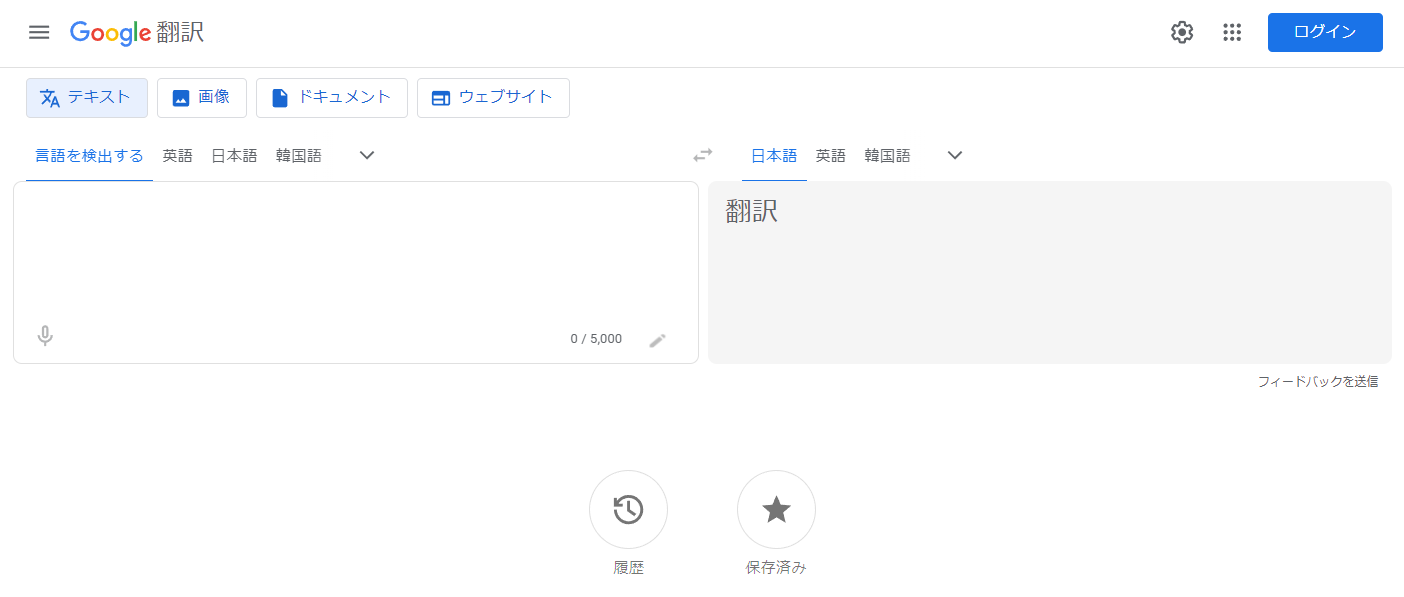
Google Translate is a widely used service on computers and smartphones. It supports over 100 languages. File translation is also possible. However, it is not recommended for business use as the input data may be reused for service improvement.
DeepL
https://www.deepl.com/translator
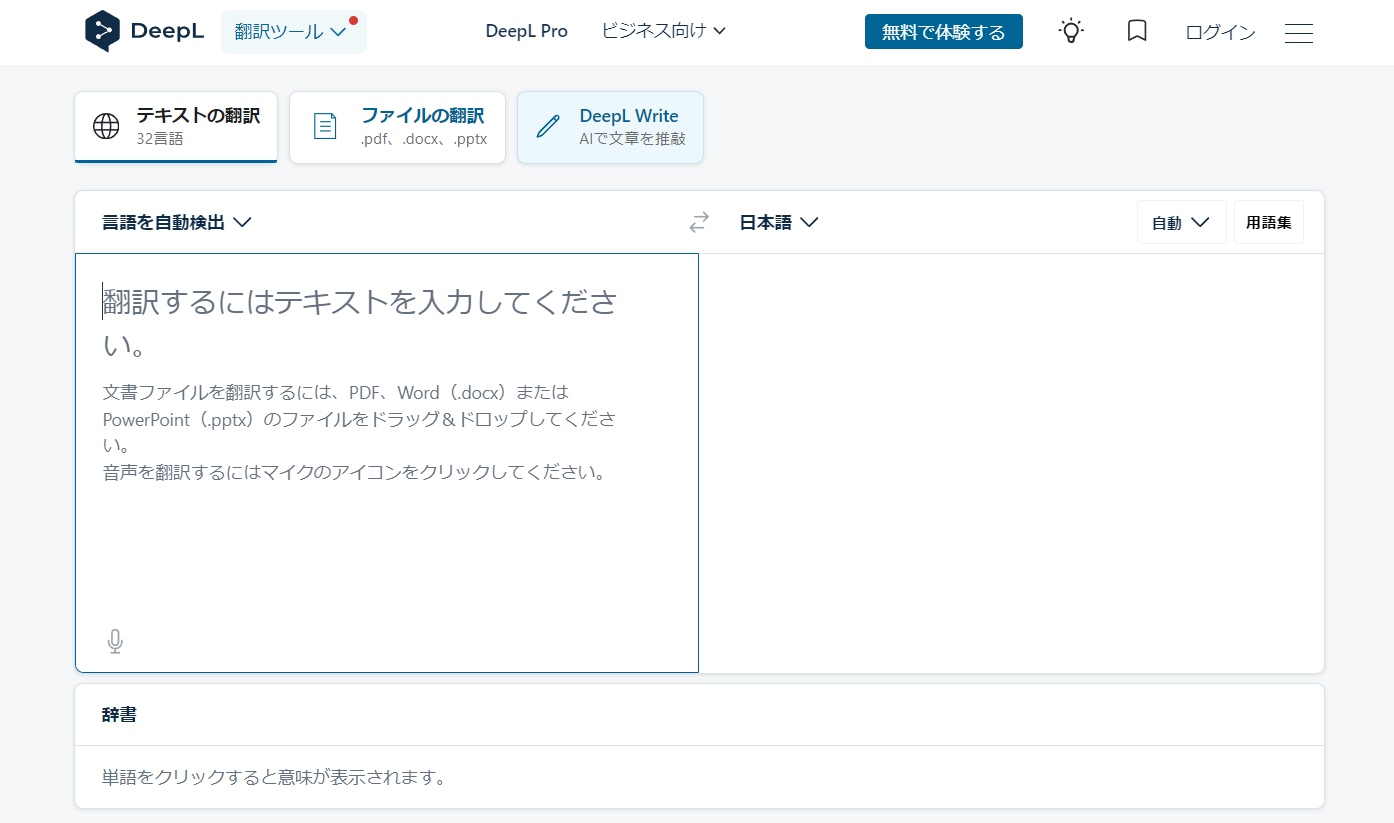
DeepL is a popular automatic translation service known for its high fluency. It features file translation and glossary functions, and it also allows for the specification of casual or polite forms in Japanese translations. Compared to other services, it supports a limited number of languages, with only 30 available, but it does cover the major languages. Recently, a proofreading support service called DeepL Write for English and German has been launched. In DeepL's free plan, the input data is reused for service improvement, but in the paid plan, confidentiality is maintained, making it safe for business use. For more details on DeepL's confidentiality policy, please see the article below.
Confidentiality with DeepL Translations. Is It Secure?
Bing Microsoft Translator
https://www.bing.com/translator
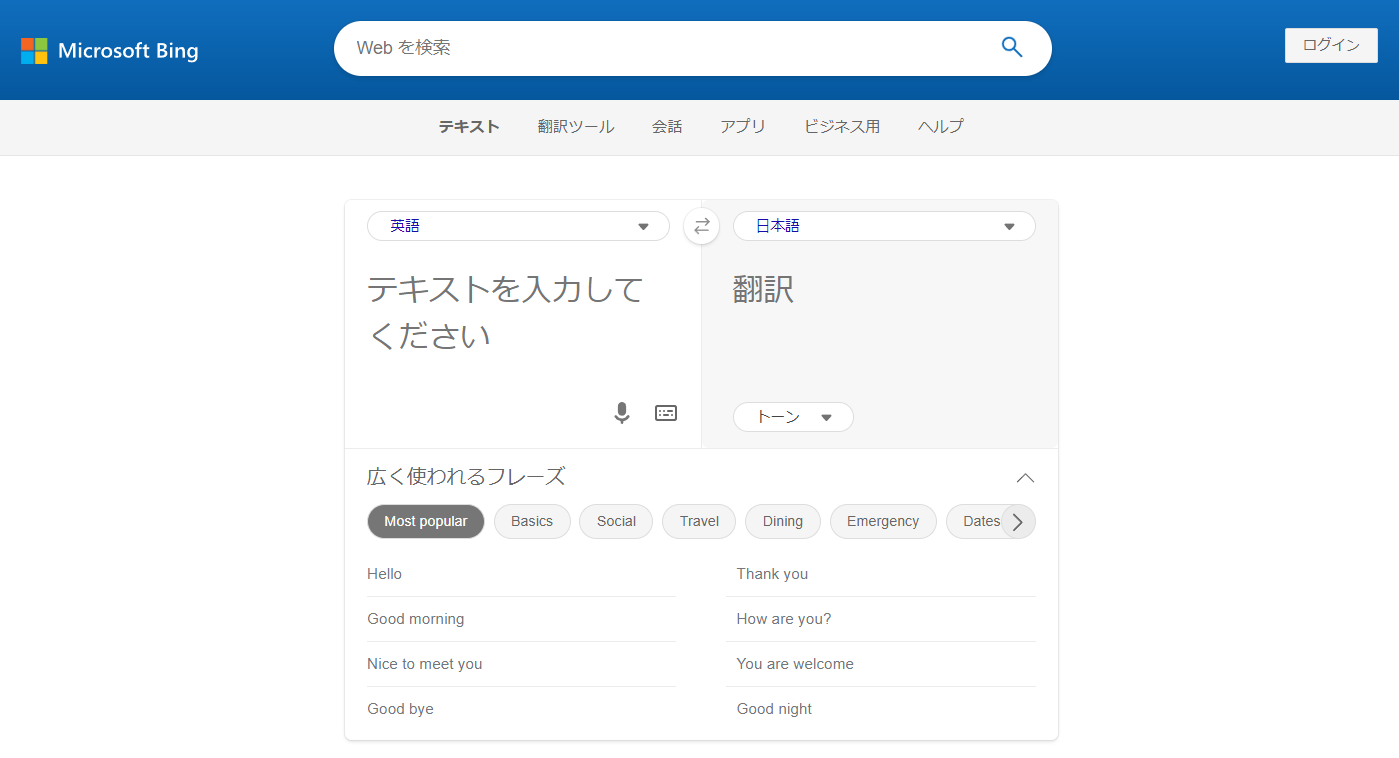
Microsoft offers a variety of translation services, among which Bing Microsoft Translator is available through web browsers. While it supports over 100 languages, it does not allow for the specification of glossaries or formal/informal language. Similar to Google Translate, the input data is reused for service improvement, so it is not recommended for business use.
ChatGPT
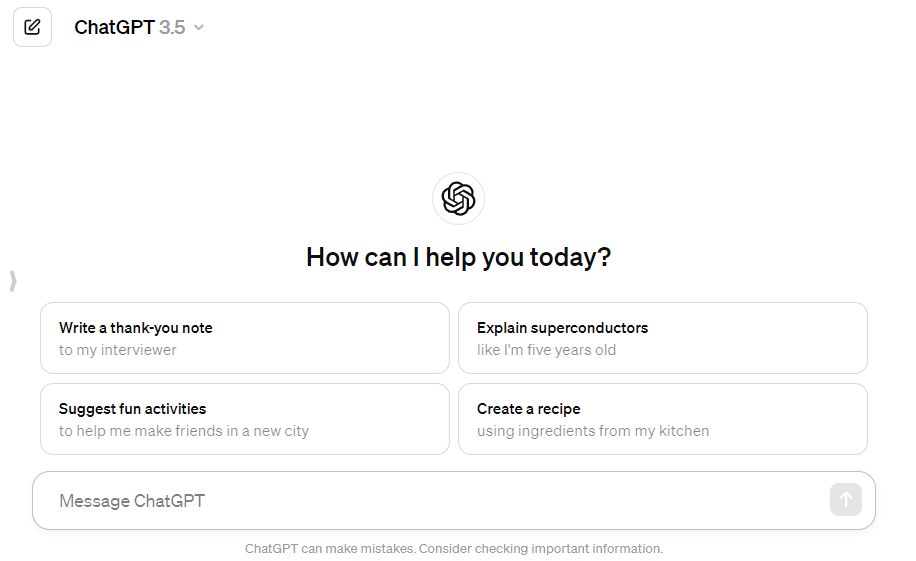
OpenAI's AI chat service, ChatGPT, can also be used as a translation tool. By writing "translate to Japanese" in the chat box and then entering the text to be translated, it will be translated. There are no glossary or formal/informal style specification features, but the translation can be altered based on the instructions in the chat box. For more details on how to use ChatGPT for translation, please see the article below.
How to Use ChatGPT for Translation – Usage Methods and Practical Procedures
Regardless of whether you pay to use ChatGPT, you can change the permissions for whether your input data can be used for system training from the settings screen. For more information about ChatGPT's security protection policy, click the article below.
Is Confidentiality Maintained with ChatGPT, Copilot, Gemini, and Claude?
MTrans for Office
MTrans for Office is an automatic translation service provided by our Human Science division. It integrates with four translation engines: DeepL, Google, Microsoft, and a customized version of ChatGPT by OpenAI for translation purposes, allowing you to switch between them freely. By utilizing the glossary and automatic post-editing features, you can produce translations with even higher accuracy than using each translation engine alone. Each translation engine is connected via API, ensuring that translation data is not reused for model improvement. Confidentiality is maintained, allowing you to use automatic translation with peace of mind. It also includes writing assistance features such as proofreading. For more details about MTrans for Office, please visit the product page below.
MTrans for Office is an easy-to-use translation software for Office.

Translation Tools for Meetings and Real-Time Audio
We carefully introduce real-time audio translation tools that are useful in conversational settings such as web conferences and business negotiations.
SuperIntern
A real-time AI translation tool compatible with all meeting platforms such as Zoom, Teams, and Google Meet, which operates entirely on a single PC without the need for bots. It offers very high accuracy in Japanese translation and simultaneously displays subtitles in both the speaker's language and the translated Japanese. Since there is no need to have an AI bot join the meeting, it can be used comfortably even in meetings with external clients, which is a major advantage.
Clovernet Multilingual Parallel Text Support Service
A voice translation service provided by NEC Nexsolutions that supports over 30 languages. It can be used in a wide range of scenarios, including not only web conferences but also face-to-face training sessions. It allows unlimited users and implements high security measures that do not store or reuse input data, making it suitable for company-wide deployment.
Notta
A tool that excels in high-precision speech recognition and transcription functions using the latest AI. It converts meeting content into text in real time and automatically translates it into over 50 languages. Equipped with screen recording and custom dictionary functions, it is recommended for companies that want to streamline meeting minutes creation and translation simultaneously.
Tools for Website Multilingualization
Introducing dedicated tools for making your company homepage or e-commerce site multilingual.
shutto Translation
A tool that enables website multilingualization with ease in as little as 3 minutes. Although it is based on machine translation, it features a hybrid operation that allows you to request professional translators as needed. The intuitive interface lets you replace text and images while viewing the preview screen, making it easy for staff without specialized knowledge to handle.
Uniweb
This is a cloud-based translation service that allows you to build a multilingual site supporting over 60 languages instantly by simply inserting a single line of tag into your website. It can be implemented without disrupting the site’s design or layout, and when the original Japanese site is updated, the translated content is automatically synchronized, greatly reducing the daily operational and management workload.
WOVN.io
This is a website multilingual solution with a proven track record of implementation at major companies. It enables multilingual support while maintaining the layout even for dynamic sites or those with complex structures. With a dedicated staff providing thorough operational support, companies attempting full-scale multilingual site construction for the first time can use it with confidence.
6. Points to Note When Using Translation Tools

Translation tools are very convenient, but to use them safely and effectively in business, it is necessary to pay attention to the following three points.
Risk of confidential information leakage and security confirmation
Many free translation tools have terms that allow secondary use of the input data for training the translation engine (service improvement). Entering confidential information such as unpublished press releases, contracts, or customer information into free tools carries the risk of information leakage. When using translation tools for business, it is essential to choose paid tools that do not allow secondary use of data or corporate services that clearly state their security measures.
Measures Against Unnatural Translations and Mistranslations
Thanks to advances in AI, translation accuracy has improved dramatically, but it is by no means perfect. Especially in contexts unique to Japanese, where subjects are often omitted, or in texts that heavily use technical terms, unintended mistranslations can occur. If unnatural translations are published as-is on websites or in materials, they can cause customers to lose trust and damage the brand image. For important documents and top pages of websites, it is essential to establish a system for double-checking and correcting (post-editing) by human reviewers (native speakers or responsible personnel).
Consideration of Cultural Background and Technical Terminology
Translation tools excel at producing "grammatically correct sentences," but they struggle with translations that fully capture a country's cultural background and social nuances. For example, directly translating English idioms (e.g., “raining cats and dogs” = heavy rain) or adjusting the complex levels of Japanese honorific language (keigo) to suit the context is difficult. Additionally, to accurately translate industry-specific technical terms, it is essential to register dictionaries in the tool and have human adjustments for contextualized paraphrasing.
7. Benefits of Translation Tools Usable in Business

Using translation tools in business brings many benefits. Below are some of the main advantages.
1. Streamlining and Speeding Up Translation Work: AI-powered translation tools can translate large volumes of text in a short amount of time. This leads to increased efficiency and speed in the translation process.
2. Easily accessible anytime and anywhere: The translation tool can be accessed from anywhere as long as you are connected to the internet. This allows you to perform translation tasks even while on business trips or working remotely.
3. Reducing Translation Costs: By using translation tools, it is possible to reduce the labor costs of in-house translation specialists and the outsourcing costs to external translation companies or freelance translators. This effect is particularly significant when large volumes of translation are required or when translation work is performed frequently. However, since machine translations may contain errors such as mistranslations or omissions, human review is necessary.
These benefits have led to the widespread use of translation tools in business settings. In particular, companies that operate globally or require multilingual support can greatly benefit from their effectiveness.
8. How to Choose Translation Tools Usable in Business

The points to consider when choosing translation tools for business use are as follows.
1. Supported Languages: The number and types of languages supported by the translation tool are important selection criteria. In particular, companies that operate globally or require multilingual support need translation tools that accommodate the languages used in their business operations.
2. Translation Accuracy: The accuracy of translation tools greatly affects their value. AI-powered translation tools can translate large volumes of text in a short time, but it is important to verify whether the accuracy of the translation results is high.
3. Coverage of Specialized Terminology: When the document to be translated contains specialized terminology, it is important to verify whether those terms are covered. Particularly in specialized fields such as medicine, law, and IT, accurate translation of specialized terms is required. It is also necessary to have a glossary feature that allows for the registration of industry-specific terms.
4. Security: When using translation tools, security is also an important consideration. If the documents being translated contain confidential information, it is necessary to ensure that this information is adequately protected. Additionally, it is important to verify the scale and safety of the operating entity.
5. Usability: The usability of translation tools is also an important selection criterion. Ideally, the tool should have an intuitive interface and be usable immediately without any explanation.
Considering these points, it is important to choose the translation tool that best fits your company's needs. This will enable you to improve the efficiency and speed of the translation work, as well as reduce translation costs.
9. Frequently Asked Questions About Translation Tools
- QIs it safe to use free translation tools for business?
- QWhat is the difference between AI translation (such as ChatGPT) and translation tools like DeepL?
- QHow can I accurately translate technical terms and in-house terminology?
- QIf a website is automatically translated, will SEO measures for overseas markets also be done automatically?
- QIf AI translation accuracy is high, is human checking unnecessary?
- QWhat are the key points to be especially careful about when choosing a real-time voice translation tool for web conferences?
- QSometimes, using translation tools results in unnatural sentences. Are there any tips to prevent this?
10. Summary
In modern business, multilingual communication has become essential due to the advancement of globalization. It is recommended to implement translation tools to address this challenge. The use of translation tools leads to increased efficiency and speed in translation tasks, as well as a reduction in translation costs. When selecting a tool, it is important to check whether it has a glossary feature and whether confidential information is retained.
Human Science offers MTrans for Office, an automatic translation software that utilizes DeepL and OpenAI. Since it connects to the API, you can use DeepL and OpenAI without worrying about information leaks. OpenAI can be used not only as a translation engine but also for transcribing, rewriting, and proofreading text depending on the prompts. MTrans for Office also offers a 14-day free trial. Please feel free to contact us.
Features of MTrans for Office
- ① Unlimited number of file translations and glossary integration for a fixed fee
- ② One-click translation from Office products!
- ③ Secure API connection
・For customers who want further security enhancement, we also offer SSO, IP restrictions, and so on. - ④ Japanese-language support by a Japanese company
・Response to security check sheets
・Payment by bank transfer available
MTrans for Office is an easy-to-use translation software for Office.










 Return to the top of the page


 +81 35-321-3111[Tokyo Headquarters]
  Contact Us
 Request for Information