
01. Background on the Rising Attention to AI Proofreading Tools
Increase in Workload for Document Creation and Proofreading Tasks
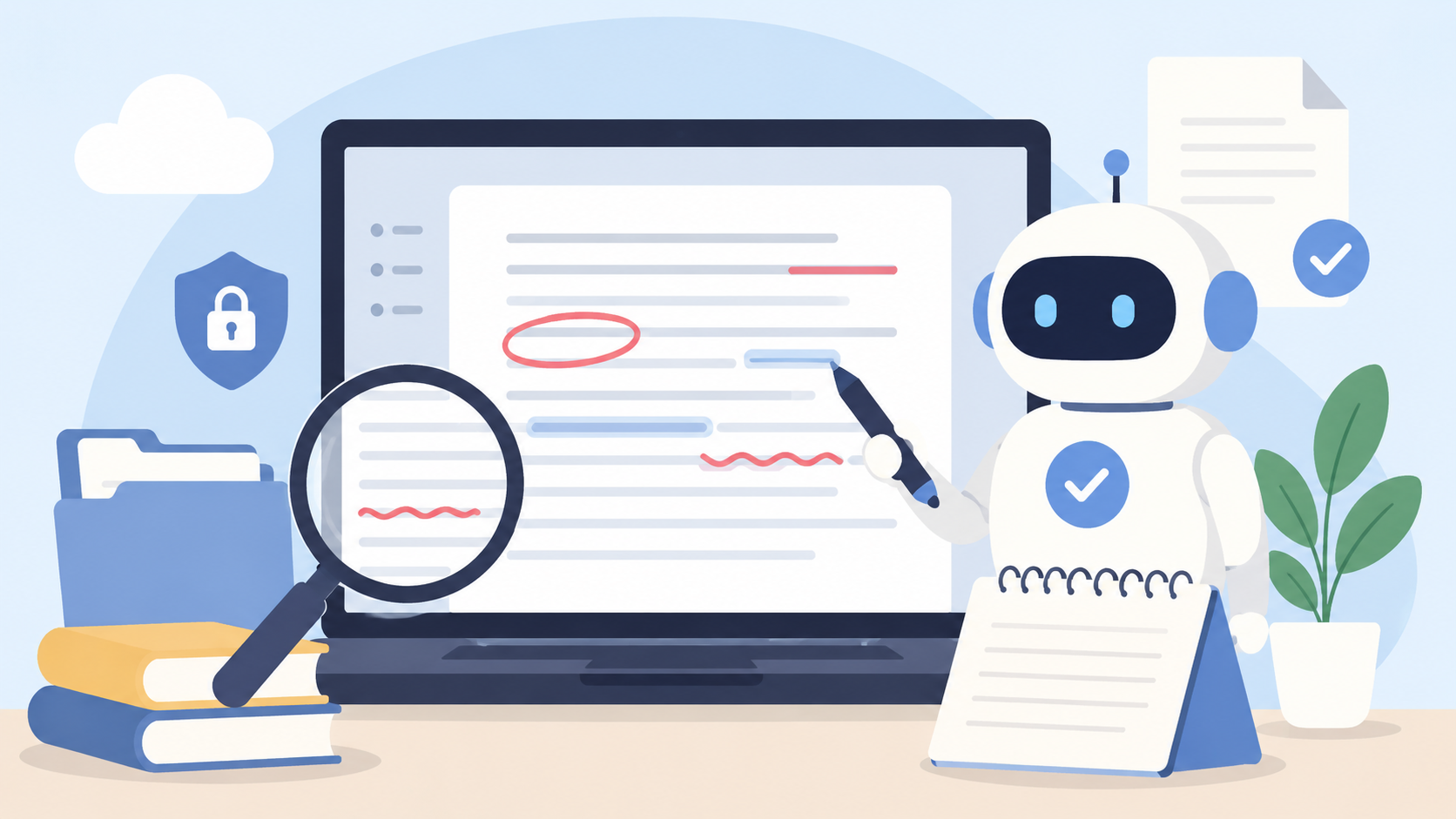
The documents issued by companies are diversifying, and their volume continues to increase. These documents, which require accuracy and consistency, include manuals, technical specifications, internal regulations, website content, press releases, contracts, and more. Manually proofreading all of these requires enormous time and effort, and proofreading work is increasingly becoming a bottleneck for entire projects.
Operational Risks Due to Inconsistent Notation and Quality Variations
When proofreading tasks are personalized, the accuracy and perspectives of checks vary by person in charge, resulting in unstable final document quality. One person may prioritize technical accuracy, while another may emphasize readability, causing a "shift in perspective." As a result, even documents issued by the same company show inconsistent notation, leaving variations such as "user" and "usr" or "can" and "able to" unaddressed. These inconsistencies pose risks that can damage the company's credibility and brand image.
Rising Expectations for Automated Proofreading Due to the Spread of Generative AI
Since 2023, generative AI such as ChatGPT has rapidly become widespread, making "having AI check documents" more accessible. The ability to check with consideration of context is a major advancement not found in traditional dictionary-based or rule-based proofreading tools. On the other hand, it is not uncommon for generative AI outputs to "appear plausible at first glance but be inaccurate." The fact that it has become "usable" and that it can be "trusted as business-quality" are separate issues, and it is important to utilize it with a correct understanding of this difference.
02. What AI Proofreading Tools Can and Cannot Do
When considering the introduction of AI text proofreading tools, it is necessary to distinguish between "what AI can do" and "what is difficult for AI alone." Introducing these tools without clarifying this distinction carries the risk of leading to disappointment due to excessive expectations or omitting essential quality control processes.
What AI can do: Checking for typos, inconsistent notation, and readability
AI proofreading tools excel at detecting typos, pointing out inconsistent notation, and evaluating readability based on sentence length and complexity. Unlike traditional rule-based tools, AI makes judgments by understanding context, enabling it to detect misuse of homophones such as "bridge" and "chopsticks," or confusion between meanings like "probability" and "establishment." AI can also complete consistency checks across hundreds of pages of documents in a short time.
What AI Can Do: Suggestions for Improving Sentence Structure and Tone
The latest AI proofreading tools go beyond merely detecting errors; they also offer suggestions for improving sentence structure and unifying tone. For example, they can detect the mixing of polite and plain forms, and propose more concise alternatives to redundant expressions. Additionally, they can check whether the tone is appropriate for business documents and whether there are any ambiguous expressions that might hinder reader comprehension.
Difficult Areas: Company-Specific Rules and Specialized Quality Judgments
On the other hand, there are areas where AI alone finds it difficult to cope. The biggest challenge is checking compliance with company-specific notation rules and style guides. For example, unique company rules such as "Product name A must always be written in katakana," "Cautions must always be listed in bullet points," and "Use this term for this industry-specific jargon" cannot be automatically learned by AI. Additionally, whether the content complies with standards or fits the industry-specific context may be beyond the judgment capabilities of general AI.
It is necessary to distinguish between "automatic proofreading" and "quality suitable for business use"
The correction suggestions provided by AI proofreading tools are merely "proposals." Adopting all suggestions as they are does not necessarily improve quality. Proofreading business documents requires complex judgments, including the document's purpose, target audience, company brand guidelines, and industry standards. It is essential to treat "being able to proofread automatically" and "being able to proofread to a business-quality standard" as separate issues, and to incorporate a process where humans appropriately evaluate and judge the AI's output.
03. Main Types of AI Proofreading Tools
AI text proofreading tools tend to be grouped together, but in reality, their architectures and scopes of support differ. To choose a tool that fits your company's challenges and work environment, first understand the characteristics of each type.
General-purpose generative AI type: Using tools like ChatGPT to perform text checks
This method uses general large language models (LLMs) such as ChatGPT, Claude, and Gemini, with carefully crafted prompts for proofreading purposes. It offers high flexibility and can handle a wide range of tasks from typo and error detection to style improvement and rewriting, depending on the prompts. However, the quality depends heavily on the prompt content entered each time, making it reliant on the skill of the person in charge and resulting in low reproducibility of outcomes. Additionally, since input data in free versions may be used for AI training, caution is required when handling confidential documents.
Proofreading Specialized Type: Strong in Detecting Typos and Inconsistent Notation
These tools are specifically designed for proofreading Japanese text. They have high accuracy in detecting typos, inconsistent notation, and grammatical errors, and many support customization of proofreading dictionaries. Some tools have AI trained on proprietary proofreading databases and editorial knowledge from journalism and publishing, making this category especially well-suited for web writing and media management.
Writing Support Type: Supports everything from text creation to improvement suggestions
These tools provide comprehensive writing support that goes beyond proofreading, including assistance with text creation and tone adjustment. Some also handle tone specification, style improvement, and readability evaluation. There are support tools specialized for languages such as Japanese and English. Companies that mainly handle Japanese business documents need to verify how well these tools support the Japanese language.
Word Add-in Type: Usable within Existing Word Workflows
This type of tool operates as an add-in for Microsoft Word, allowing proofreading to be completed directly within Word. It eliminates the hassle of "copy-pasting," "uploading to another tool," or "converting files," enabling smooth adoption of AI proofreading as an extension of existing creation and editing tasks. For companies that create and manage documents in Word, a major advantage is the ability to enhance quality control without changing their workflow.
Consulting Combined Type: Supports In-House Rule Design and Operational Establishment
This service not only provides tools but also supports the design of proofreading rules, formulation of quality standards, and construction of operational workflows. Experts are involved from the phase of designing "what the AI should check," enabling the creation of an AI proofreading environment optimized for your company's operations and documents immediately after implementation. If the service has a system that allows proofreading rules to be accumulated and shared as organizational assets, quality standards can be maintained even with personnel changes or organizational restructuring.
04. Points to Consider When Choosing AI Proofreading Tools
Whether It Can Support Your Company's Notation Rules and Style Guide
The most important factor when selecting an AI proofreading tool is whether it can reflect your company's unique notation rules and style guide. Generic proofreading functions alone cannot accommodate industry-specific notation rules or internally established terminology standardization rules. Check if there are customization features for proofreading dictionaries and prompts, and how flexible those customizations are.
Ease of integration with Word and existing workflows
No matter how advanced a tool is, it will not be adopted on-site if it does not fit with existing workflows. If users have to copy and paste documents or upload them to another platform, usage rates will drop, and they will eventually revert to manual processes. For companies that create and manage documents in Word, add-in type tools that allow proofreading and corrections to be completed within Word are a strong option.
Can it support specialized terms, industry terminology, and compliance with standards?
In fields such as manufacturing, pharmaceuticals, legal affairs, and construction, adherence to industry-specific specialized terms and standards is required. It is necessary to confirm whether the tool can correctly handle terms not included in general dictionaries, register and manage glossaries, and perform checks based on standards (such as IEC 82079-1) and industry standards (such as the TC Association Japanese Style Guide).
Consideration for Security and Corporate Use
When corporations use AI tools for proofreading business documents, handling input data is an important consideration. Ensure that input data is not reused for AI training, that secure data communication via API connections is guaranteed, and that access management features such as SSO (Single Sign-On) and IP address restrictions are in place.
Is it easy to share and manage proofreading rules?
To stabilize proofreading quality within an organization, it is necessary to have a system that allows proofreading rules to be shared and managed by the entire team rather than individually. With centralized management of rules and online sharing functions, proofreading can be performed according to the same standards even if the person in charge changes, and revisions or additions to the rules are immediately reflected to everyone.
05. 6 Recommended AI Proofreading Tools
From here, we will introduce AI proofreading tools that can be utilized for corporate document proofreading tasks, divided into six categories.
1. MTrans for Office|AI Proofreading × Consulting Service Usable on Word
Features: MTrans for Office is an add-in tool provided by Human Science Inc. that offers AI proofreading functions usable on Microsoft Word, Excel, and PowerPoint. It goes beyond formal checks such as typos and inconsistent notation to AI-check quality aspects traditionally judged by humans, including the validity of sentence structure, clarity of meaning, and compliance with standards and style guides. Proofreading rules are not mere prompts but are systematically designed as search and extraction conditions (including regular expressions), style guide-based check conditions, terminology dictionaries, and document type-specific check conditions, all centrally managed and shared online. Human Science’s manual consultants design the proofreading rules themselves tailored to the company’s documents and operations, enabling the immediate establishment of a "proofreading environment where AI can judge based on the company’s standards" right after introduction. It uses the ChatGPT API, and input data is not reused for AI training, so confidential documents can be handled with peace of mind.
Suitable for companies: Companies with manual production or technical documentation departments that require compliance with style guides and standards. Companies that create and manage documents in Word and want to introduce AI proofreading without changing their workflow. Companies aiming to eliminate individual dependency in proofreading quality and accumulate quality standards as organizational assets.
Notes: This service is suitable for companies that want to systematize proofreading operations seriously, but if you want to "try it for free first," you can use the free trial of MTrans for Office to test the general-purpose AI proofreading functions.
2. General-purpose Generative AI Tools (ChatGPT / Claude / Gemini, etc.)|Easy to Use for Broad Text Checking and Rewriting
Features: General-purpose LLMs such as ChatGPT, Claude, and Gemini can be utilized as text proofreading tools by designing prompts. They can be used for multiple purposes beyond just typo and spelling checks, including tone adjustment, rewriting, and summarization. Since the content of the checks can be flexibly changed depending on the prompt, it is easy to try proofreading focused on specific perspectives.
Suitable for companies: Companies that want to try AI proofreading easily at first. Organizations with personnel skilled in prompt design. Cases where text checking is mainly done on an individual basis.
Notes: The quality depends on prompt design, so results may vary depending on the person in charge. Since there is a risk that input data will be used for learning in the free version, paid plans (API usage) are recommended for handling business documents. A system to unify and manage proofreading rules within the organization needs to be built separately.
3. Proofreading Specialized Tools (Bunken / Shodo / Typoless, etc.)|Suitable for Checking Typos and Inconsistent Notation
Features: These tools are specifically designed for proofreading Japanese text. Bunken offers over 100 check items and a function to detect inconsistent notation, excelling in quality control for web media and marketing documents. Shodo supports collaborative proofreading workflows, making it suitable for team operations. Typoless features a proofreading engine trained with AI on proofreading knowledge from journalism and publishing.
Suitable for companies: Companies looking to streamline proofreading of web content and blog articles. Organizations that prioritize checking inconsistent notation and readability in Japanese. Editorial departments that operate proofreading workflows on a team basis.
Notes: Many proofreading-specialized tools assume text input on the web and may not support direct proofreading of Word files. Also, there may be limitations in checking compliance with company-specific style guides or standards, so please confirm requirements before selection.
4. Writing Support Tools (Grammarly / wordrabbit, etc.)|Suitable for improving web articles and marketing documents
Features: This tool provides comprehensive writing support that goes beyond proofreading, including tone adjustment, style improvement, and readability evaluation. Grammarly is widely used as the global standard for English proofreading and supports tone specification and style enhancement. For Japanese-specific options, wordrabbit allows direct proofreading on files such as PDF, Word, and PowerPoint. Some tools also include custom dictionary functions that reflect company-specific style rules.
Suitable for: Global companies that require proofreading of English documents. Public relations and marketing departments aiming to improve the quality of web articles and marketing materials. Organizations that prioritize unifying the tone and style of their writing.
Cautions: English-oriented tools (such as Grammarly) have limited support for Japanese. If you mainly handle Japanese business documents, verify the proofreading accuracy specialized for Japanese before deciding to implement.
5. Legal and Contract Review Tools|Suitable for streamlining the review of specialized documents
Features: AI tools specialized in reviewing contracts and legal documents. They automate detection of missing clauses, unfavorable terms, and consistency checks with laws and regulations. Unlike general proofreading tools, they focus on checks from the perspective of legal risks.
Suitable for companies: Companies whose legal departments spend significant effort on contract reviews. Organizations aiming to eliminate reliance on individual expertise for contract quality checks.
Notes: Legal specialized tools are not suitable for general text proofreading. Departments handling documents other than legal ones, such as manuals or technical documents, require separate proofreading tools.
6. Multilingual Support and Translation-Integrated Tools|Suitable for Overseas Documents and Multilingual Deployment
Features: This tool includes AI proofreading functions as well as translation capabilities and multilingual support. By improving the quality of the original text through AI proofreading and then executing translation within the same environment, it minimizes the hassle and security risks associated with data transfer between tools. MTrans for Office also falls into this category, providing seamless support from proofreading to translation.
Suitable for companies: Companies that frequently exchange documents with overseas offices. Organizations that conduct multilingual deployment of manuals and technical documents. Companies that want to simultaneously improve the quality of original texts and translation quality.
Notes: Translation accuracy depends on the chosen translation engine and the state of terminology database maintenance. When conducting full-scale multilingual deployment, consider including terminology management and establishing a post-editing system.
06. Common Pitfalls When Implementing AI Proofreading Tools
There are many cases where the expected results are not achieved even after implementing AI text proofreading tools. In most cases, the cause lies not in the tool's lack of functionality but in inadequate preparation and operational design before implementation.
Allowing AI to make judgments without proofreading standards
If you introduce an AI proofreading tool without clearly defining "proofreading standards," the AI will lack criteria for determining "what is correct." As a result, it may flag too many issues or, conversely, overlook important problems, creating a gap between the expected quality and the actual output. Before having AI perform proofreading, it is essential to define "what constitutes correct writing for your company."
Different reviewers have different checking perspectives
When using general-purpose generative AI for proofreading, if the way prompts are written and the checking perspectives vary by reviewer, the proofreading results will differ even for the same document. This diminishes the value of introducing AI. It is necessary to unify proofreading rules and prompts across the organization and establish a system for sharing them.
Conditions for in-house rules and compliance with standards are not organized
If your company's notation rules, style guides, and applicable standards are not documented, there are essentially no rules to implement in the AI. AI proofreading tools operate by "checking based on given rules," and without rules, they can only perform generic checks. It is important to inventory and organize proofreading rules before introducing the tool.
Operational flow after tool implementation is not designed
Simply introducing the tool will not change the workflow. It is necessary to design in advance the operational flow that specifies "who," "at what timing," and "for which documents" AI proofreading will be executed, how to review and reflect the proofreading results, and how to update the rules. Failures where the process stops at the PoC (Proof of Concept) stage and does not become established in the workflow are often caused by deficiencies in this operational design.
07. Necessary Mindset to Improve Text Quality with AI Proofreading
Break Down Proofreading Rules to a Granularity That AI Can Understand
To make AI proofreading work effectively, it is necessary to break down and verbalize proofreading rules to a granularity that AI can understand. For example, instead of vague instructions like "make the text easy to understand," convert them into specific conditions such as "limit each sentence to 60 characters or less," "check that the subject and predicate are not too far apart," and "convert passive voice to active voice." This approach dramatically improves the accuracy of AI checks.
Organize your own rules, glossary, and style guide
The quality of AI proofreading is directly linked to the quality of the proofreading rules input. Organize the rules for consistent notation of terms used in your company, standards for writing style, lists of prohibited expressions, and requirements of applicable standards, and systematize them as glossaries and style guides for AI reference. If these assets are well maintained, not only will the AI proofreading accuracy stabilize, but quality can also be maintained even if the person in charge changes.
Clarify the division of roles between humans and AI
AI proofreading is fundamentally a system that makes "suggestions," and the final judgment must be made by humans. Assign AI to areas it excels at (such as detecting typos, inconsistencies in notation, and checking standard rules), while humans focus on higher-level judgments like "assessing appropriateness based on context," "evaluating readability from the reader's perspective," and "confirming consistency with the brand tone." It is recommended to clearly define this division of roles. As AI evolves, the scope of tasks AI can handle will increase, so regularly reviewing the division of roles is advisable.
Share proofreading rules within the organization and turn quality standards into assets
The key to long-term quality improvement is to build a system that shares and manages proofreading rules across the entire organization, rather than keeping them only in individuals' hands. By utilizing tools like MTrans for Office, which allow centralized online management and sharing of proofreading rules, you can maintain stable quality standards even when personnel or organizational structures change. Since revisions and additions to the rules are immediately reflected to everyone, you can flexibly respond to changes in the work environment. Proofreading rules are not something you create once and finish; by continuously improving and accumulating them, they become assets that support the document quality of the organization.
08. Summary|Choose AI Proofreading Tools Based on "Quality Standards" as Well as "Features"
Correctly Understand the Scope of Efficiency Gains with AI Proofreading
AI writing proofreading tools deliver significant efficiency improvements in areas such as detecting typos and inconsistent notation, unifying writing style, and enhancing readability. On the other hand, compliance with company-specific rules and standards, as well as quality judgments based on context, cannot be fully handled by AI alone. Correctly understanding AI’s strengths and limitations and setting appropriate expectations is the first step to successful implementation.
Choose tools and services that can accommodate your company's rules
When selecting tools, focus not only on general proofreading accuracy but also on whether they can support your company's notation rules, style guides, and industry terminology. Especially for companies handling manuals and technical documents, important criteria for selection include the customizability of proofreading rules, compatibility with office applications such as Word, Excel, and PowerPoint, security measures, and features for sharing and managing rules.
By utilizing a consulting-type service like MTrans for Office, which not only provides the tool but also supports the design and operation of proofreading rules, you can build an AI proofreading environment optimized to your company’s standards immediately after implementation, and accumulate quality standards as organizational assets.
It is important to establish a proofreading workflow that can be used continuously
Introducing AI proofreading tools is not the "goal" but the "start." Even after implementing the tools, by continuously reviewing proofreading rules regularly, adapting to new document types, and improving operational workflows, the effectiveness of AI proofreading increases over time. A comprehensive approach that includes not only tool selection but also the development of in-house rules, style guides, and operational workflows is the key to achieving sustained results with AI proofreading.
Human Science provides consistent support from AI utilization design to implementation and adoption.
> Click here for details on AI Proofreading Consulting (MTrans for Office)